Moving abroad can change the rhythm of ordinary family conversations. People who once shared a table may now exchange messages between different schedules. A digital postcard is one small way to share something more considered than a quick update: a picture, a short message and a reason you wanted someone to see it.
The postcard does not need elaborate effects. Its value comes from being understandable and personal. If you add a creative motion treatment, keep it clearly distinct from an authentic photograph or recording. A family member should not have to guess whether a scene documents something that happened or imagines something new.
This is a guide to preparing a visual message, not advice about relocation, immigration, finances or retirement decisions. The examples are invented to explain the format and do not describe anyone’s actual experience abroad.
Choose one recipient and one message
Start with the person who will receive the postcard. A message for a sibling may need less background than one for a friend who has not heard about your recent plans. Decide what you want to share before choosing the image.
A useful message can be small: “This is a corner of the room I wanted to show you,” or “I thought you would enjoy this drawing.” There is no need to turn every postcard into a complete account of a new life or a polished announcement.
Keep the main thought in ordinary text. The picture can support it, but someone who cannot open the image or play a clip should still understand why you sent the message.
Select an image you can share comfortably
Use a photograph you own or an original illustration. If the photograph includes other people, check whether it is appropriate to share with the intended audience. A private family message and a public post have different contexts; do not assume that permission for one means permission for the other.
Look at the entire frame before sending it. A photograph of a desk may include a private document or an address in the background. A view through a window may reveal more about a location than you intended. Select another image when removing a detail would make the picture confusing.
If you edit or crop a photograph, keep the original separately. Describe the selected view plainly rather than adding unsupported claims about the place or what is outside the frame.
Let a still postcard work on its own
Build the first version as a still image accompanied by a short message. This is the simplest reference for the idea you want to communicate. It also gives the recipient a way to view the postcard at their own pace.
For an invented example, draw a small table with a mug, a notebook and a plant. The drawing could accompany a message about making time to write to family. It represents no particular home, destination or event.
Keep text readable and avoid placing the whole message inside the picture. A separate text message is easier to enlarge, copy or read independently of the image. If colours distinguish parts of the drawing, include written labels where necessary.
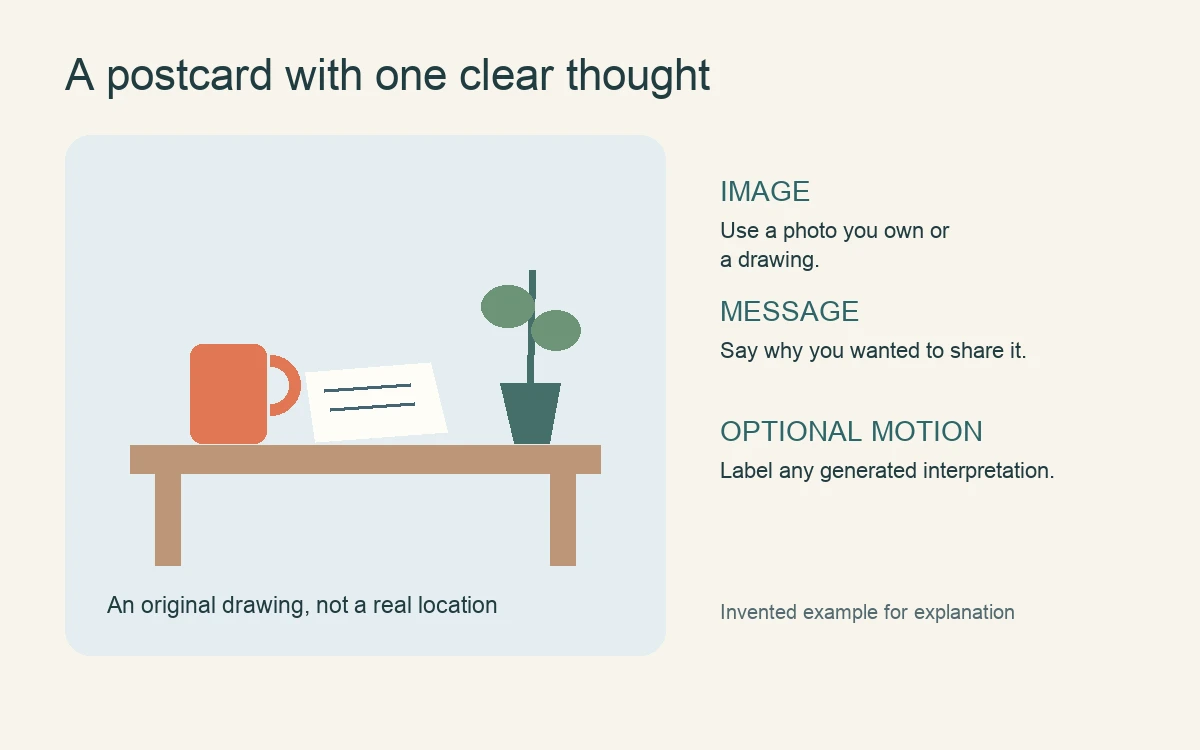
Keep the message and still reference complete. Optional creative motion adds a treatment rather than evidence of an event.
Decide what motion would contribute
Motion should have a modest role. A controlled sequence could reveal the drawing, pause for the message and then close with a simple greeting. That is a presentation choice, not a record of objects moving in an actual room.
Authored animation is useful when the sequence must be precise. You can choose the order of appearance and preserve the arrangement of the mug, notebook and plant. A still version may be enough if movement does not add meaning.
Avoid making the postcard feel like a task the recipient must complete. Keep it easy to open, understandable without audio and possible to skip. A thoughtful message should remain accessible even when the person receiving it has limited time or prefers a simple photograph.
Identify generated concepts beside the clip
An original drawing can also be explored through generated motion. For example, a creator might use an image-to-video workflow to make a short interpretation of the invented table scene. Review the result before including it in the postcard.
Check whether the objects stay recognisable and whether the clip introduces an unintended action. A notebook opening by itself or an unfamiliar figure appearing can change the story. If that change does not suit the message, return to the still drawing or a controlled sequence.
Label the clip directly: “Generated motion from an original drawing; not footage of an actual event.” Keep this description with the postcard when forwarding it. A recipient who sees only the clip should still understand its status.
Make sharing boundaries easy to understand
If the postcard is intended only for a particular person or family group, say so plainly. The message can ask recipients not to repost it publicly. That request does not guarantee what happens next, but it communicates your preference.
Keep the version simple enough that the important context survives forwarding. A short caption is less likely to be lost than a separate document explaining the production process. Avoid including details that you would not want shared more widely.
Give the recipient room to respond in their own way. They might send a photograph, write a sentence or simply acknowledge the message. A digital postcard works best as an invitation to connection, not a demand for an equally polished reply.
Review the postcard as its recipient would
Before sending, check the image, caption and written message together. Is it clear which material is authentic and which is invented? Does the postcard communicate one understandable thought? Can someone receive the message without playing the motion?
Keep the answer simple. An owned image and a clear note can carry the whole postcard. Creative motion is an optional addition that should preserve, rather than complicate, the meaning you wanted to share.
Plan an optional fictional narrator
If the fictional postcard benefits from a spoken introduction, Magic Hour lip sync AI matches a presenter’s mouth movements to an audio track. Use original or permitted presenter footage and narration. Label synthetic scenes, check timing throughout the clip, and provide captions. Keep the original reference visible: the presenter explains the idea rather than authenticating it.
About the contributor: Magic Hour creates tools for making and editing visual content. This original article was prepared with AI assistance and submitted for the publisher’s editorial review.